Interactive Activity & Idle Analysis for Your Entire Team
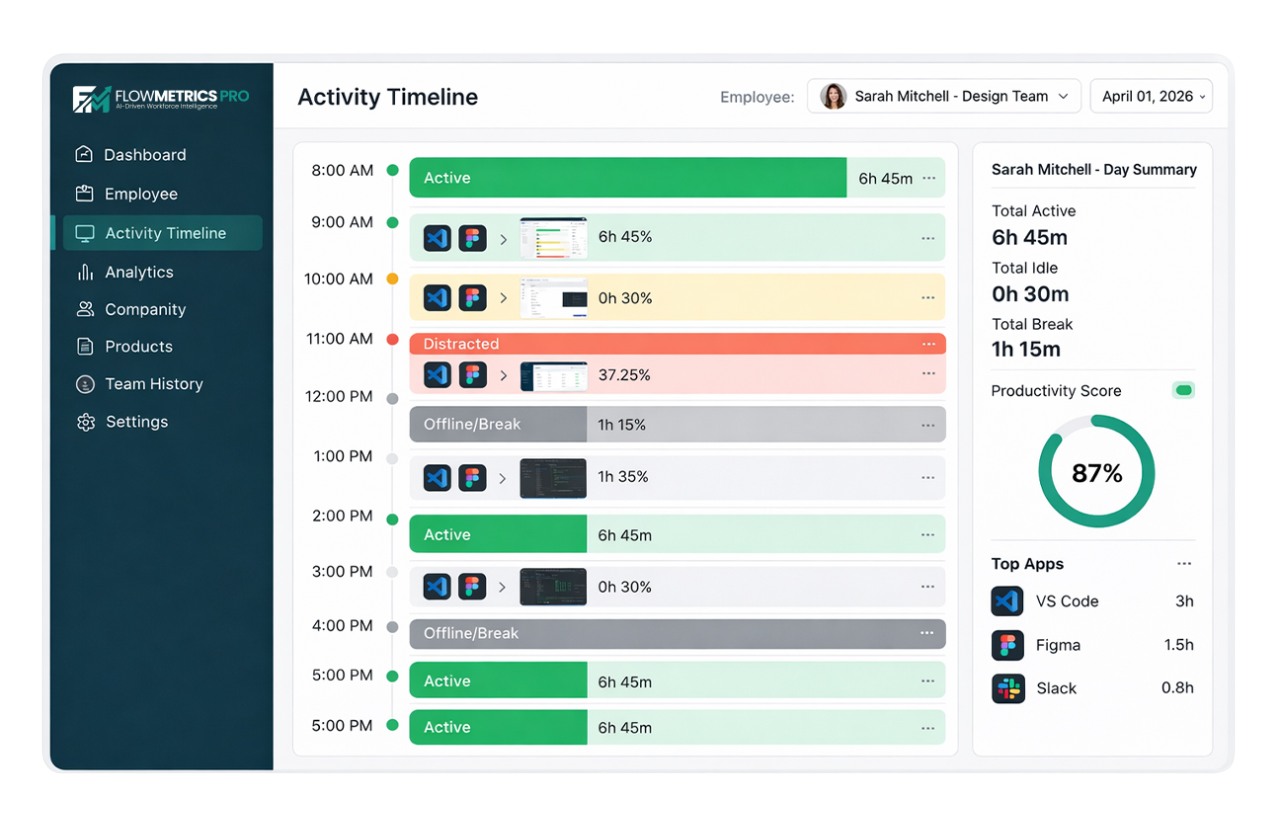
See your team's activity and focus periods in real time. Understand how work happens throughout the day with a clear, interactive timeline.
Key Benefits
Understand how your team works with a clear, easy-to-follow activity timeline.
Real-Time Activity Feed
See activity updates as they happen. Know who's working on what in real time — no refresh needed.
Focus Time Detection
Identify focused work periods when employees stay engaged without switching between tasks.
Idle Time Tracking
Spot inactive periods and understand downtime so you can plan work and schedules better.
Flexible Time Views
Switch between daily, weekly, and monthly views to spot trends and compare performance over time.
How It Works
Turn activity data into clear insights in four simple steps.
Track Active Windows
The desktop app tracks which applications and windows are in focus during the workday.
Data Flows to Dashboard
Activity data is securely sent to your dashboard in real time for processing.
AI Categorizes Activities
Activities are automatically categorized as productive, neutral, or unproductive based on your rules.
Visual Timeline Generated
An interactive timeline is created so you can quickly understand activity patterns.
Plan Availability
Activity & idle analysis is available on all paid plans, so every team has full visibility.
Free
Not included
blockNot Included
Starter
Daily view with basic timeline
check_circleIncluded
Professional
Daily, weekly & monthly views
check_circleIncluded
Enterprise
All views + AI-powered insights
check_circleIncluded
Visualize your team's workday
Start your 14-day free trial. No credit card required.