Visual Leave & Shift Management
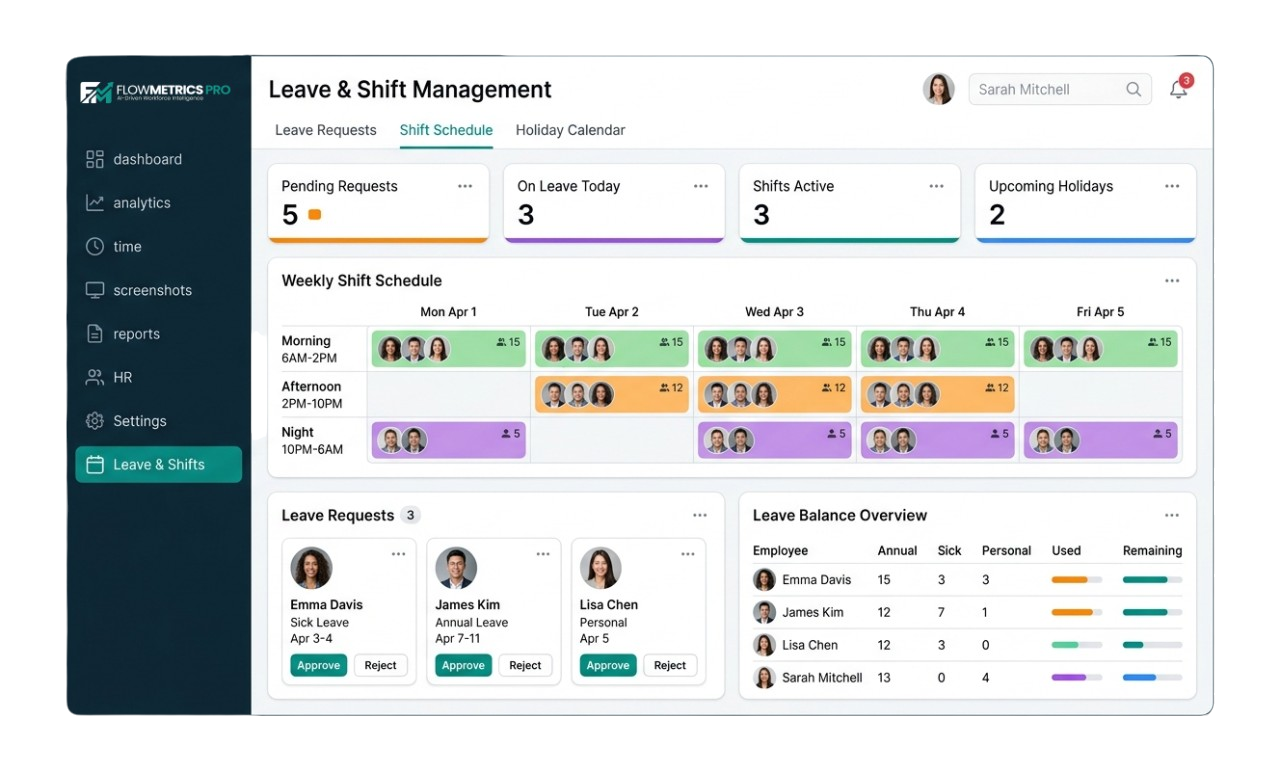
Plan shifts, approve time-off requests, and ensure coverage — all from one calendar view.
Key Benefits
Manage shifts and leave with a simple, drag-and-drop scheduling system.
Visual Scheduler
Drag-and-drop shift scheduling with a calendar view. See your entire team's schedule at a glance.
Leave Requests
Employees can request time off in a few clicks. Managers can approve or deny with full context and coverage visibility.
Shift Swapping
Allow employees to request shift swaps with manager approval, reducing scheduling conflicts.
Auto Reminders
Automatic notifications for upcoming shifts, approved leave, and schedule changes keep everyone informed.
How It Works
Manage your team's schedule in four simple steps.
Create Shifts
Set shift templates with start times, end times, and break periods. Assign them to teams or individuals.
Publish Schedule
Create and publish weekly or monthly schedules. Employees are notified of their assignments.
Handle Requests
Employees submit leave and swap requests. Managers review them and approve in one click.
Track Attendance
Track attendance against scheduled shifts with reports ready for payroll.
Plan Availability
Leave and shift management is available on all plans.
Free
Attendance only
blockNot Included
Starter
Basic leave tracking
check_circleIncluded
Professional
Full scheduling + leave management
check_circleIncluded
Enterprise
All features + auto-scheduling AI
check_circleIncluded
Take Control of Your Schedule
Start your 14-day free trial. No credit card required.